
Load Information
This guide explains how to open a load, review its details, and access bids in Loadgate
- Log in to your Loadgate account.
- Click Loads in the left-hand navigation menu.
- You will see a list of all active loads.
Tip: Quick Filter by Company or Use the Search bar at the top to quickly find a specific load(s).
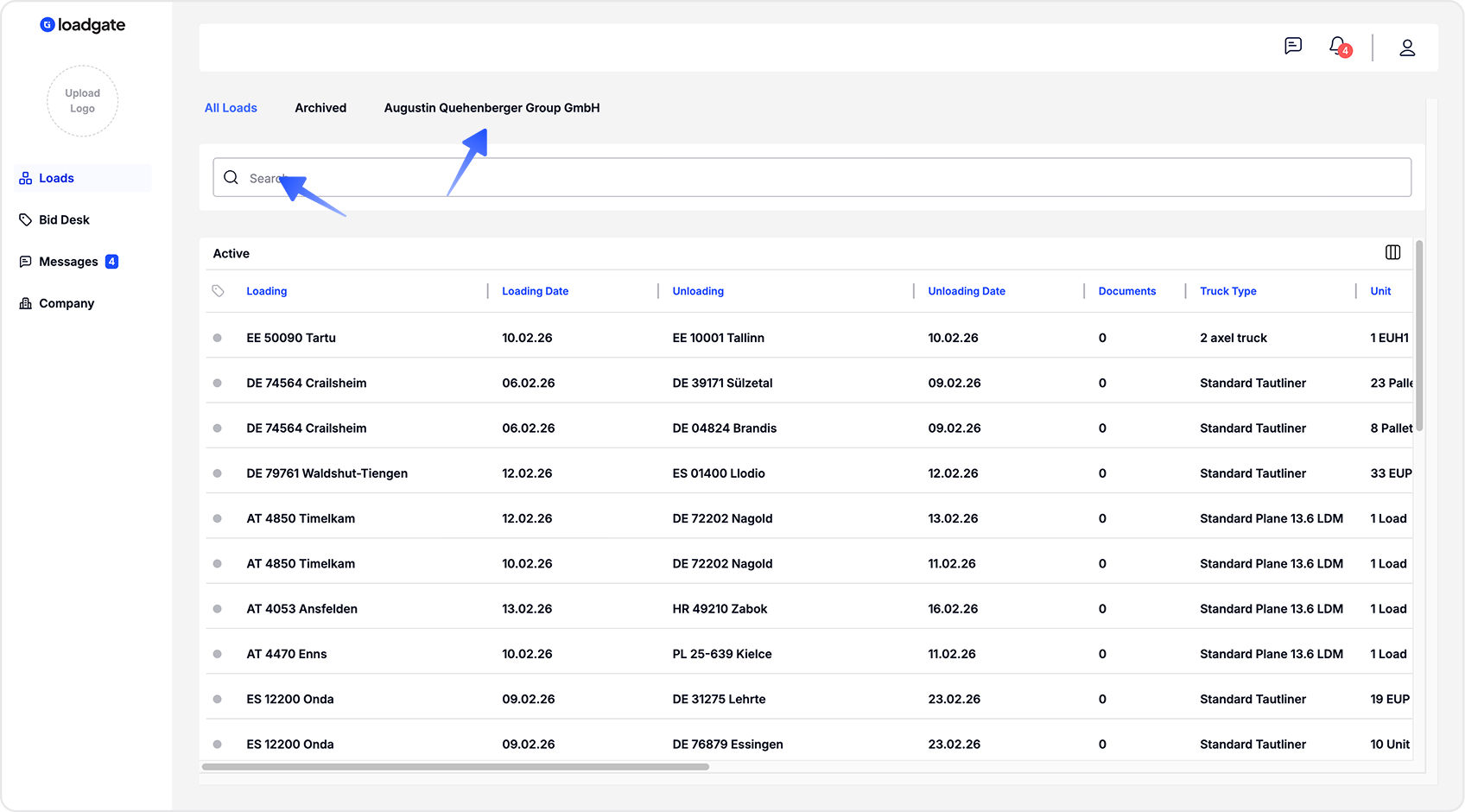
All table headers can be rearranged, and data can be sorted in ascending or descending order.
LoadGate displays single load details in a right-side drawer to provide a focused and clear overview
- Click on any load in the list.
- A Load Info panel will open on the right-hand side of the screen.
- By default, the Info tab is selected.
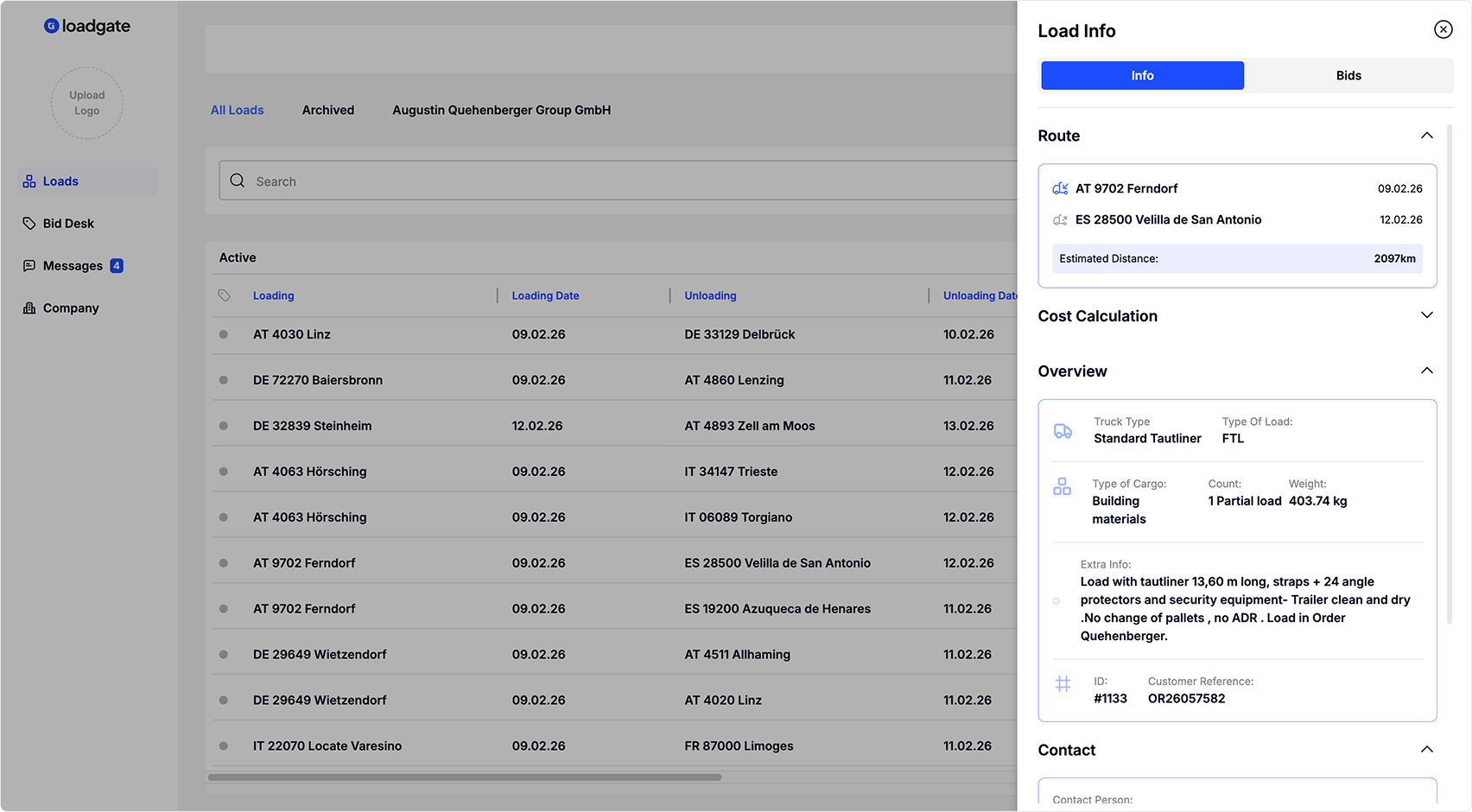
From the same drawer, you can access the Bidding tab