Messages
Our messaging system helps you get additional information about loads while also being part of the bidding system.
Messages will appear on "My Messages" only when a chat is started through the bid card. The bid card is described in more detail here.
Starting new conversations directly from the Messages page is currently not available.
Messaging system is load-based, meaning each load is a separate conversation. This allows you to have multiple conversations with the same company
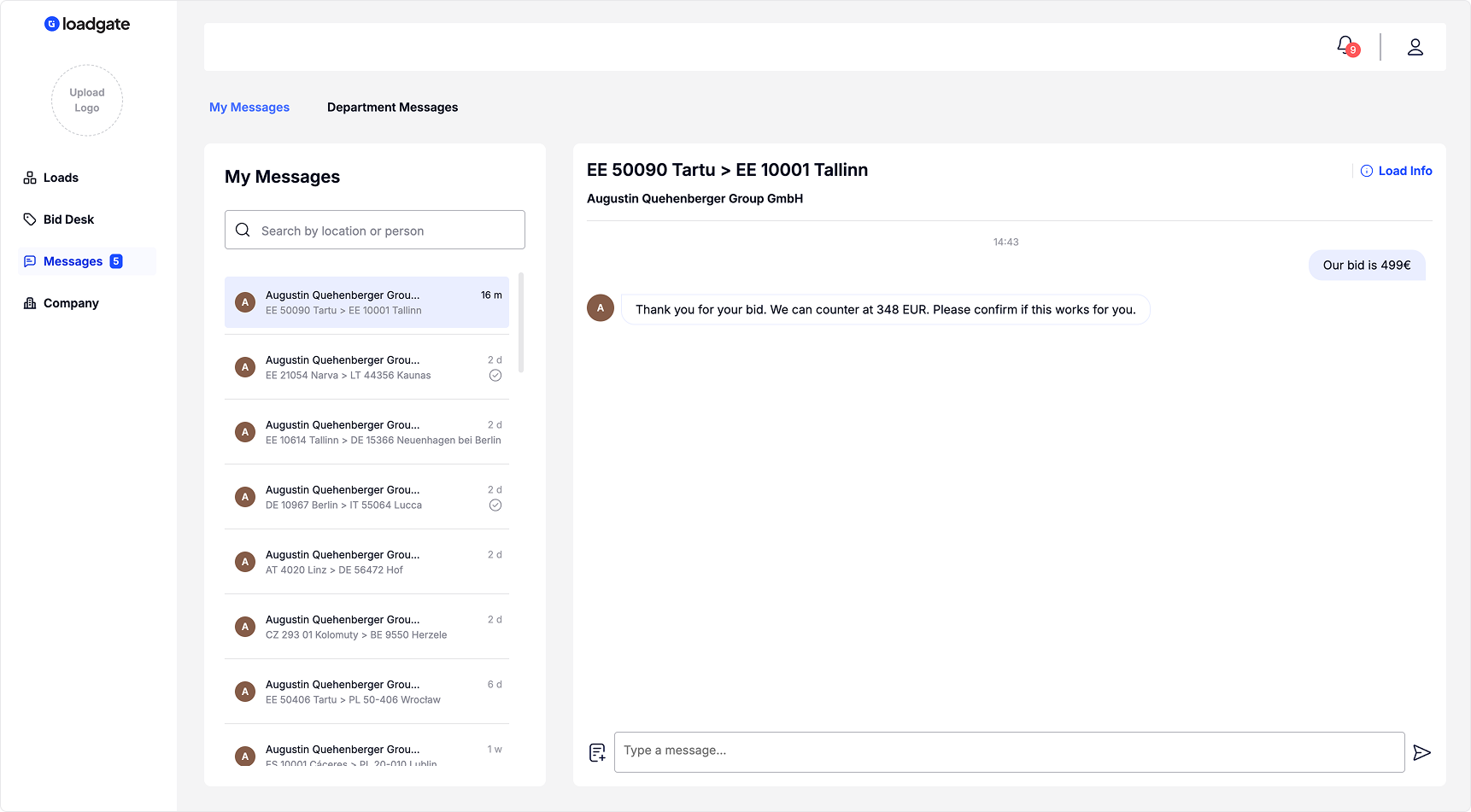
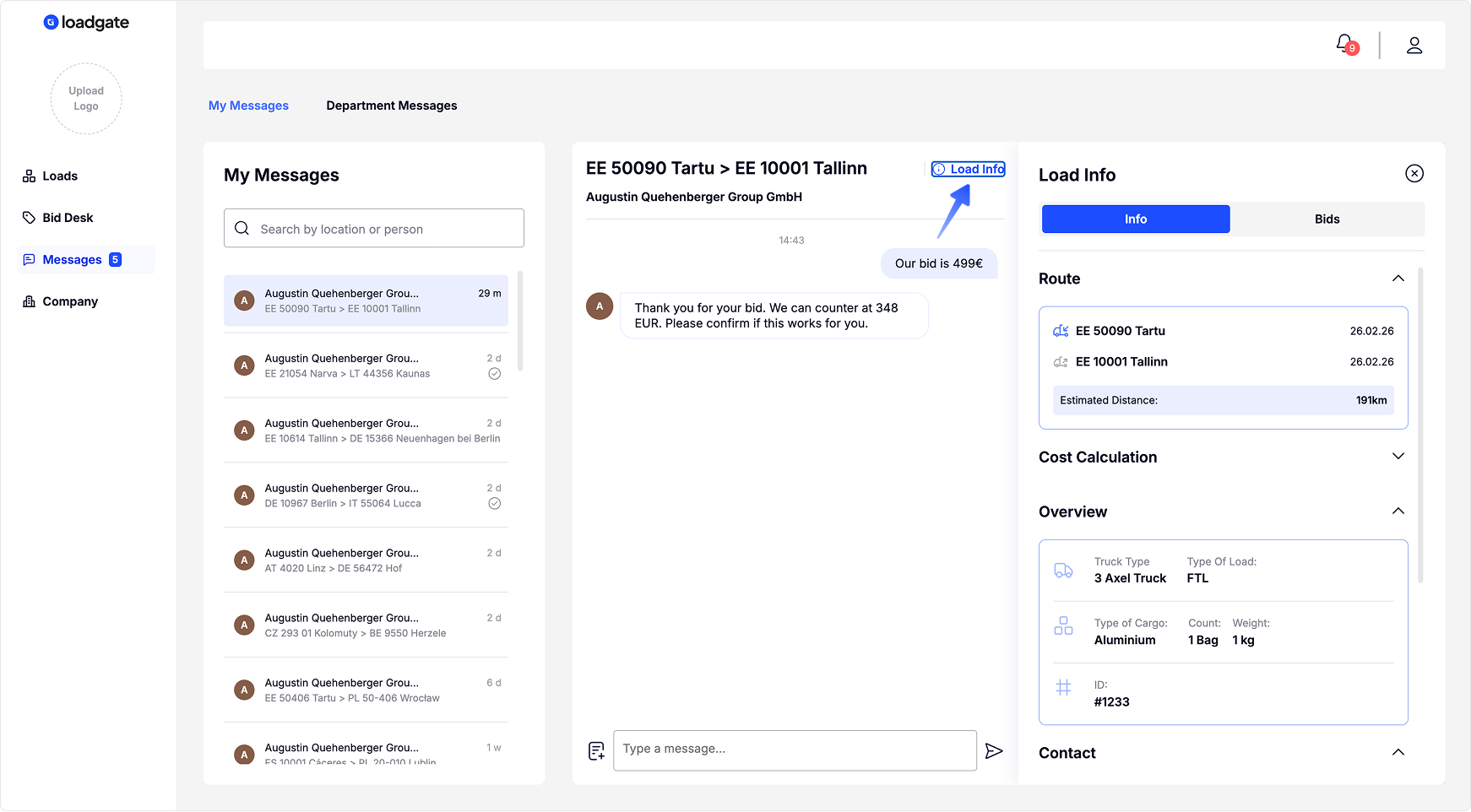
On the Messages page, you can view information about the load you are currently chatting about by clicking the “Load Info” button, without leaving the page.
Tip: You can also send your bid through chat. Read more about Bidingin Chat from here.
After the bid is accepted and the load is moved to the Archive, the conversation remains accessible, but all bidding-related actions are disabled.
Tip: You can access your messages from any page by clicking the chat icon in the top bar.